How to Delete Your Account
Warning: Account deletion is permanent and cannot be undone. All your data, including tracking history and reports, will be permanently removed.
Step-by-Step Instructions
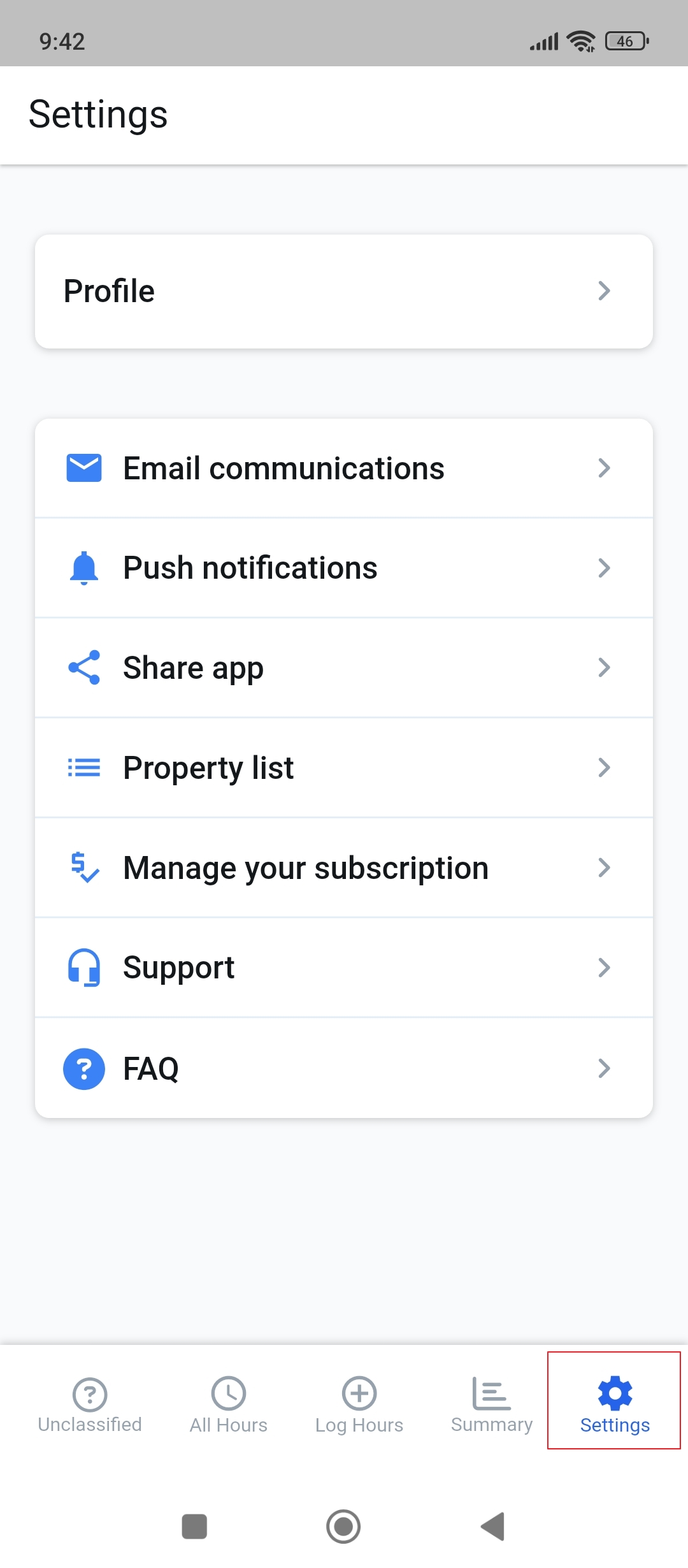
1. Open Settings
Tap the settings icon in the navigation bar at the bottom of your screen
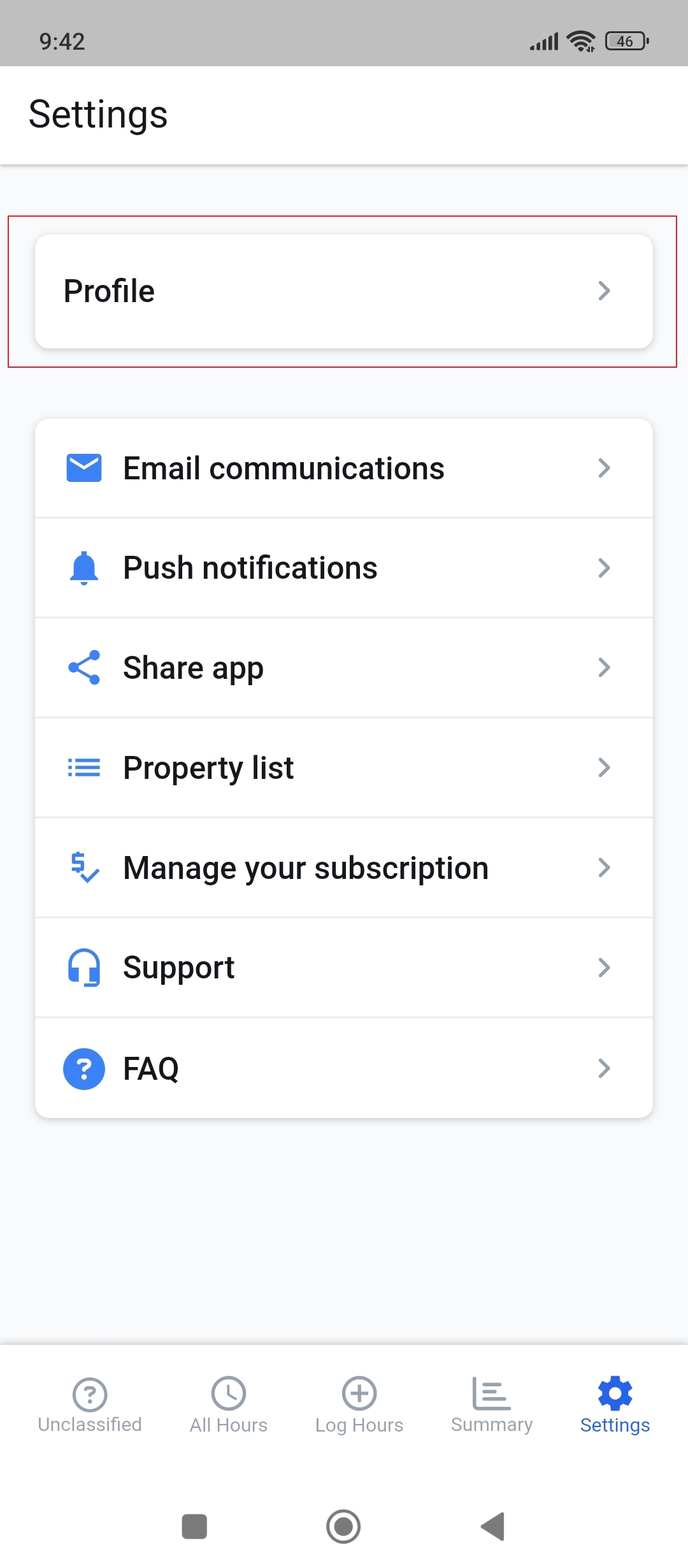
2. Go to Profile
In the settings menu, select "Profile" to access your account settings
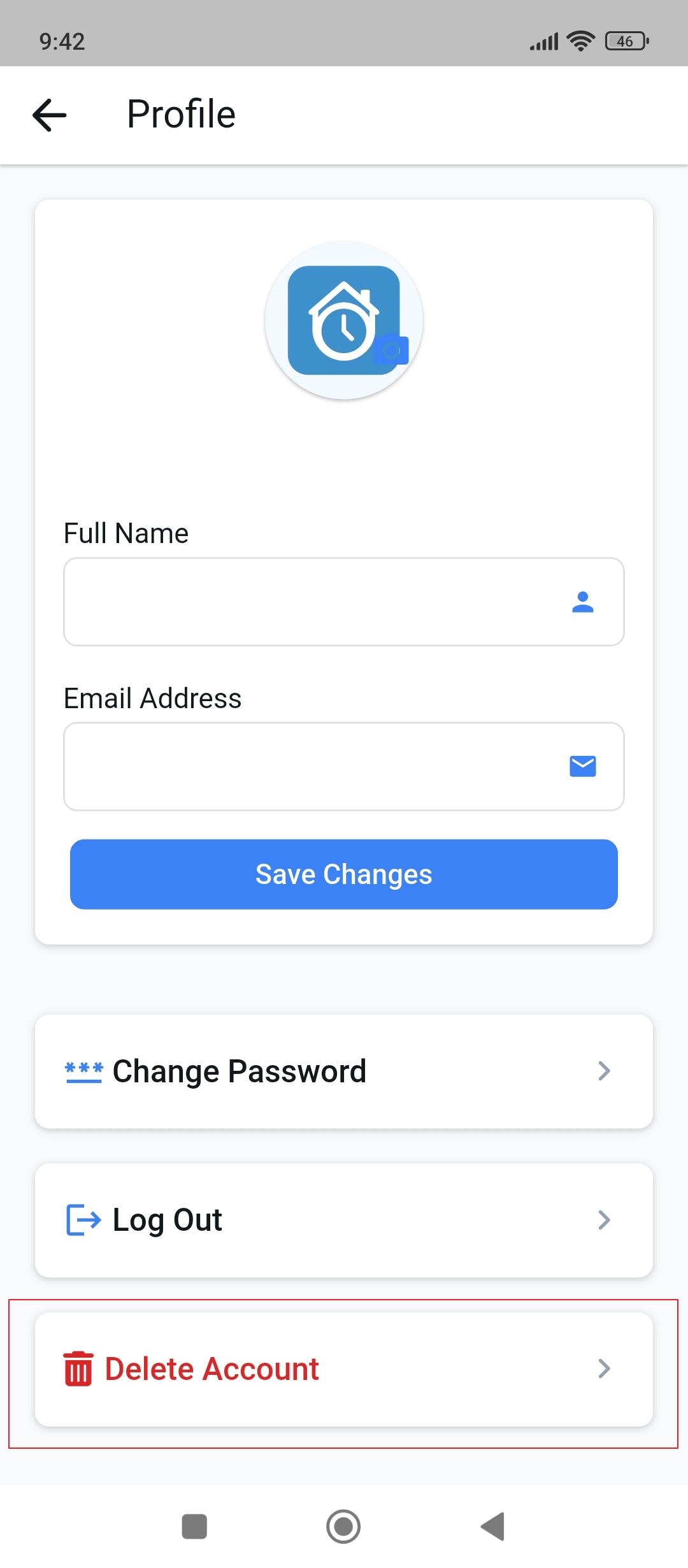
3. Delete Account
Scroll to the bottom and tap "Delete Account". Confirm your choice when prompted
What Happens When You Delete Your Account?
- Your account and all associated data will be permanently deleted
- You'll lose access to all your tracking history and reports
- Your subscription will be cancelled automatically
- This action cannot be undone
Need Help?
If you're experiencing issues or have questions before deleting your account, please contact our support team at hello@repstime.com